Add workflow-controlled blur to manage content visibility. Fine-tune blur intensity, react to user state, and visually hide or soften elements without breaking layouts.



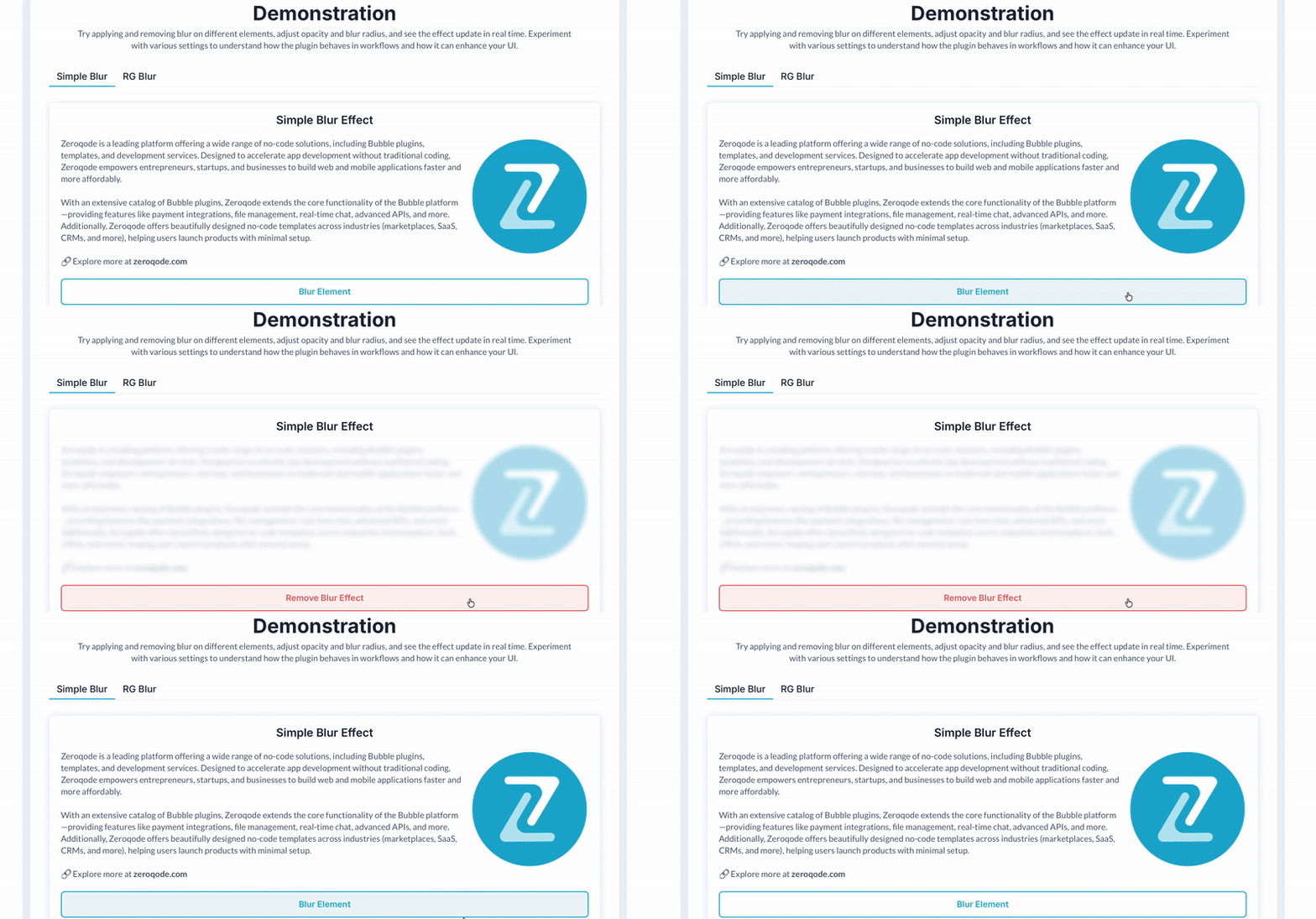 ⚡ Main Functions:
•
Workflow-Controlled Blur. Turn blur on or off dynamically using workflow actions.
•
Blur Intensity Control. Adjust blur radius and opacity for precise visibility tuning.
⚡ Key Features:🎯 Contextual Visibility Hide or soften content based on user state or interaction.
📐 Layout-Safe Behavior Applies visually without breaking layouts or responsiveness.
 Documentation
We’ve created a detailed step-by-step guide for the Blur Effect for Text and Images plugin. It includes a comprehensive overview of all features, practical use cases, and answers to frequently asked questions.
FAQWhat does the Blur Effect Plugin do?It allows you to apply a dynamic blur effect to any Bubble element—such as text, images, or groups—based on user interactions or workflow triggers.
Can I trigger the blur effect using workflows?Yes, the plugin provides workflow actions to apply and remove the blur effect dynamically.
What elements can be blurred?You can blur any Bubble element, including text fields, images, groups, and more. However, compatibility may vary depending on custom setups.
Can I control how strong the blur effect is?Absolutely! You can customize both the blur radius and opacity level to achieve the desired look.
Is this plugin suitable for freemium or premium content gating?Yes. It's commonly used to blur premium content for non-paying users, creating a smooth UX incentive to upgrade.
Do I need to write any code?No coding is required—this plugin is fully no-code and integrates directly with Bubble’s visual editor and workflows.
 Our Similar Plugins
-
Imgix Image Processing-
Live Image - Move effect-
Image Zoom on Hover Pro-
Image Editor (Toast UI)-
Animated text highlighter-
Animated Text Gradient +-
Split Flap Text Animation-
Underline Text (Dynamic Marker)-
Image Filter Effects-
Keyword Text Highlighter-
Typewriter Text Animation Support
If you still have questions or unresolved issues, you can
contact us.
Risk-free TrialThe most risk-free way to try out this plugin is to subscribe to it. If you unsubscribe a few days later you will be charged on pro-rata basis, so for example if the plugin monthly price is $5 then you’d pay only 17¢ per day ($5/30 days)!
 Built on Bubble

 Powered by CoAlias