This plugin allows you to generate link previews by extracting meta data such as title, description, image, and domain from URLs, with preview data available for use inside Bubble workflows.



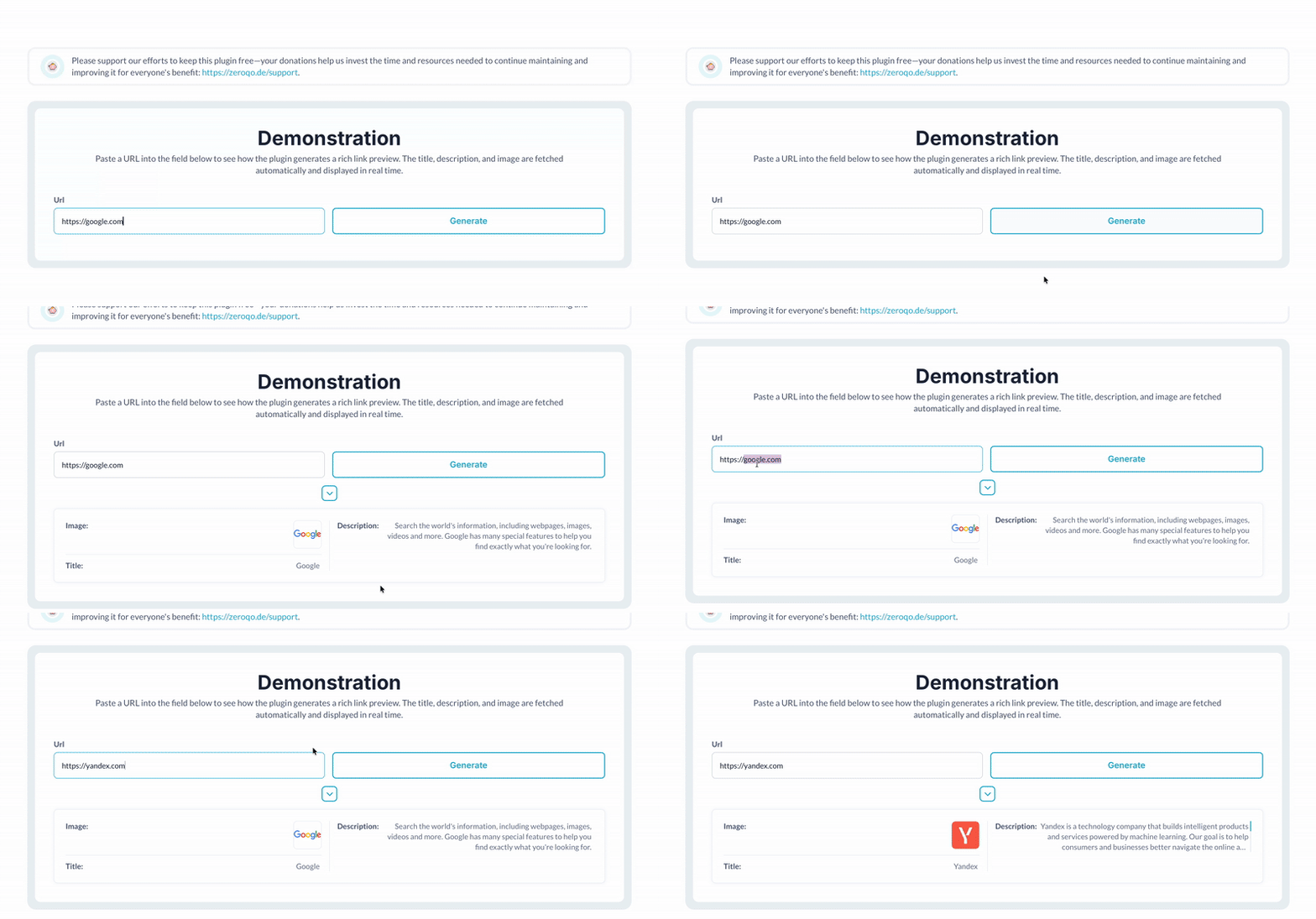 ⚡ Main Functions
•
Real-Time Preview Update Update previews instantly as users input or change URLs.
•
Auto Refresh on URL Change Automatically refresh preview data when URL content changes.
⚡ Key Features⚙️ Workflow Compatibility Can be used inside workflows to enhance content display.
🖥️ Preview Management UI Straightforward interface for managing link previews.
👀 Preview Data Customization Control which preview fields are displayed.
🔗 Multimedia URL Support Handle and display different media types from URLs.
 Documentation
We’ve created a detailed step-by-step guide for the Link Preview plugin. It includes a comprehensive overview of all features, practical use cases, and answers to frequently asked questions.
Supported API Calls✅ Get Preview - Retrieve a preview of the link provided, including metadata such as title, description, and images.
FAQ-
How do I install the Link Preview plugin in my Bubble application? To install the Link Preview plugin, go to the Bubble Editor, open the Plugin tab, search for "Link Preview," and install it.
-
How can I configure the Link Preview plugin to display URL metadata? After installation, place the "Link Preview" element on your page, and provide the URL you want to preview in the element's property editor.
-
Which URL metadata can the Link Preview plugin display? The plugin can display metadata including the page title, description, image, and site name if they are available from the provided URL.
-
What should I do if the Link Preview does not display any information? Ensure that the URL provided is correct and publicly accessible. If there's still an issue, check if the website includes metadata in Open Graph or similar formats that the plugin can read.
-
Can I customize the appearance of the Link Preview? Yes, you can customize the appearance by modifying the Link Preview element's properties, such as its dimensions and styling options, in the Bubble editor.
 Our Similar Plugins
-
Link Info and Preview-
Meta Tags, URL & Link Preview Support
If you still have questions or unresolved issues, you can
contact us.
Risk-free TrialThe most risk-free way to try out this plugin is to subscribe to it. If you unsubscribe a few days later you will be charged on pro-rata basis, so for example if the plugin monthly price is $5 then you’d pay only 17¢ per day ($5/30 days)!
Donations🔥 Please support our efforts to keep this plugin free—your donations help us invest the time and resources needed to continue maintaining and improving it for everyone's benefit:
https://zeroqo.de/support.
 Built on Bubble

 Powered by CoAlias