The Recurring Date Scheduler Plugin allows you to generate recurring dates based on your custom configuration. It outputs dates that match your settings, enabling you to create your own frontend in an unopinionated and versatile way. Whether you're scheduling events or building a calendar app, this plugin simplifies the process.
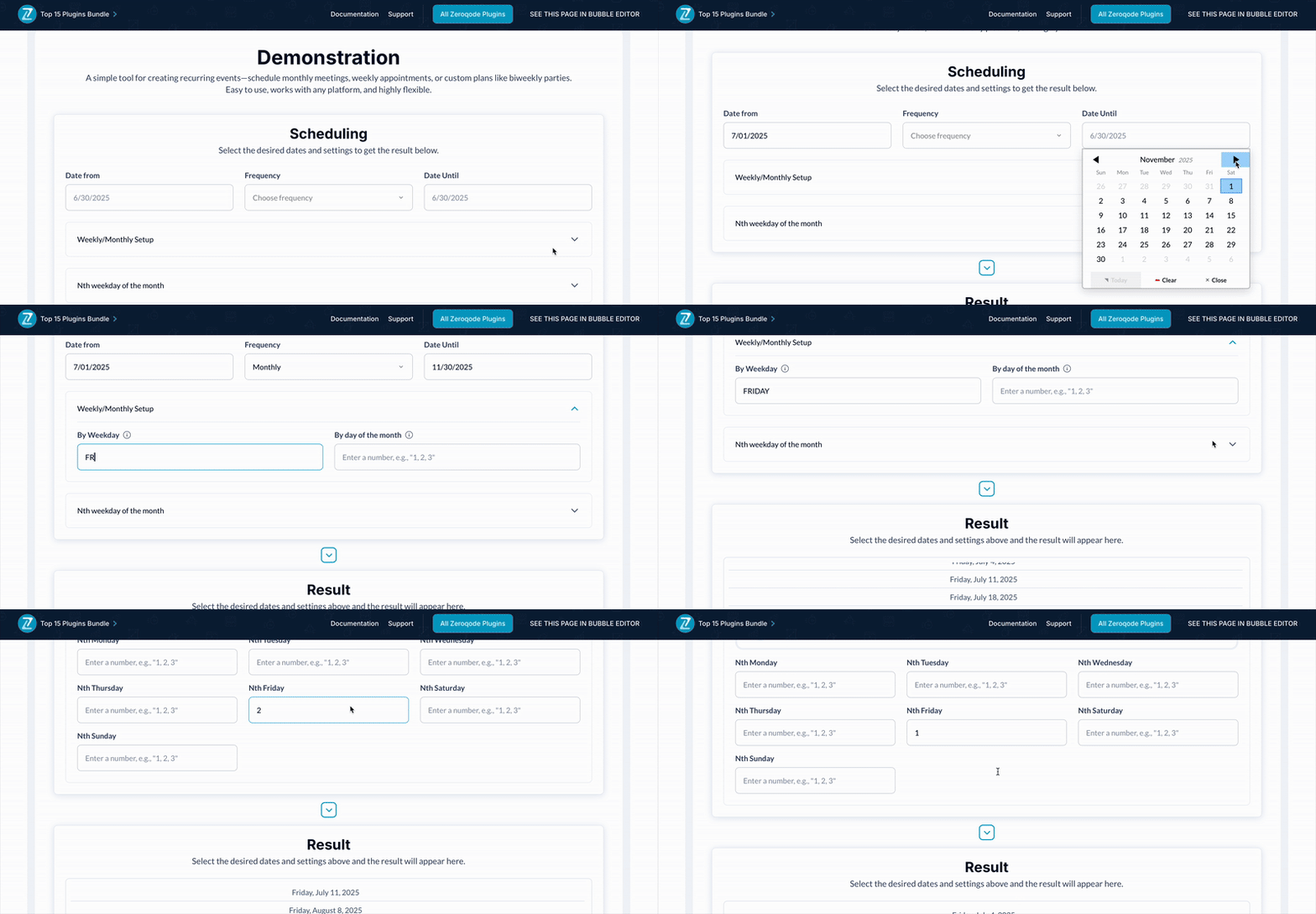 Usage Features:
 - Configure initial date, frequency (daily, weekly, monthly, yearly), and interval.
- Specify custom settings such as week start, weekdays, month days, and Nth weekdays.
- Support for setting a maximum count of occurrences or an end date ("Until").
- Toggle between using the current time zone or UTC.
- Frontend agnostic for seamless integration into any design.


 Feedback
  FAQ
FAQ-
How do I configure the scheduler? Set the initial date, frequency (e.g., daily, weekly, monthly), interval, and other options like "By Weekday" or "By Month Day." The plugin will calculate the recurring dates accordingly.
-
Can I limit the number of dates generated? Yes, you can set a maximum count for occurrences or define an "Until" date to stop generating dates.
-
What is the "Nth Weekday" option? This allows you to specify occurrences like the 2nd Monday or the 4th Friday of a month. Use the relevant input fields for customization.
-
Does the plugin support different time zones? Yes, you can choose to use the current time zone or UTC for consistent scheduling.
-
Can I use this plugin to display the dates directly? No, this plugin is frontend agnostic. It outputs the dates, and you can use them to build your own user interface.

 Other plugins from Zeroqode
-
Date Parser Plugin for Bubble-
Air Date Time Picker Pro Plugin for Bubble-
UNIX Converter Plugin for Bubble  Support
If you still have questions or an unresolved issues, you can
contact us.
Risk-free TrialThe most risk-free way to try out this plugin is to subscribe to it. If you unsubscribe a few days later you will be charged on pro-rata basis, so for example if the plugin monthly price is $5 then you’d pay only 17¢ per day ($5/30 days)!
 Built on Bubble

 Powered by CoAlias