Walk-Through: How to Merge Changes from Branches

Learn how to build features separately, then combine when you’re ready to make shipping your product faster and more reliable.

Abhinav Narain
February 21, 2024 • 2 minute read
Walk-Through: How to Merge Changes from Branches

Whether you’re building new features, trying experimental approaches, or working on a hotfix, the concept of merging changes from branches is a core software development principle that helps programmers ship smoothly.

On Bubble, you can work on multiple features at the same time by building on different branches to isolate workstreams. You can test these different branches individually and merge the changes when they’re ready — we’ll even guide you through the steps required to successfully merge work from one branch into another branch and flag any potential conflicts along the way.

We make the merge and conflict resolution processes more visual, accessible, and understandable with these industry-standard best practices. Let’s walk through an example of how this works in practice:

Merge changes clearly and logically

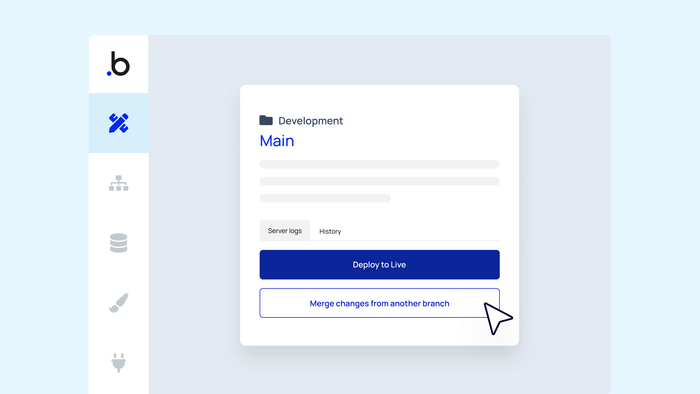
From your editor, select Main in the upper right-hand corner. From there, you can select the branch that contains the changes you’d like to merge. Confirm your selection to kick off the merge process. 

Minimize errors with the guided merge flow

After you select the branch that you’d like to merge, the guided merge flow shows you a step-by-step merge process that previews what the result of your merge will look like. If you see anything you don’t like, you can cancel your merge without consequence.

Fix issues quickly with conflict resolution

We’ll flag any conflicts that arise when you merge branches, so you can pinpoint and resolve the differences. Our conflict resolution UI organizes conflicts by page and gives you the option to resolve all conflicts in favor of one branch on a page-by-page basis.

Divide, conquer, and experiment 

Using branches as part of a version control process helps you shorten your development cycles by enabling teams to divide and conquer — but solo Bubble devs can equally benefit from branching. For example, if you want to experiment with new ideas or work on multiple features at the same time, you can isolate your work into branches to keep what you like, delete what you don’t, and merge each branch on its own timeline. 

🌱
To get the most out of Bubble version control, upgrade to the Growth plan to take advantage of all the merging magic we have to offer.
Start building for free

Build for as long as you want on the Free plan. Only upgrade when you're ready to launch.

Join Bubble

LATEST STORIES

blog-thumbnail

See How We Redesigned the Property Editor for Better Building

The redesigned property editor makes Bubble more intuitive for new builders and more efficient for experienced ones. Learn what changes to expect.

Bubble
December 11, 2025 • 4 minute read
blog-thumbnail

Meeting the Moment: What It Actually Takes to Evolve in the AI Era

We asked every employee to recommit to our vision of replacing code with AI visual development. 95% chose to stay. Here's why that matters.

Josh Haas and Emmanuel Straschnov
December 02, 2025 • 5 minute read
blog-thumbnail

How We Designed Bubble's New Brand Guidelines

We're unveiling our latest brand evolution — one that speaks to builders everywhere, matches a massive shift in our industry, and allows Bubble to evolve into the AI visual development platform it was born to be.

Eve Spears
December 02, 2025 • 5 minute read
blog-thumbnail

Introducing Launch Lab: Professional Launch Support for Bubble Founders

Launching your app shouldn’t feel like shouting into the void. Meet Launch Lab, our new program that helps select founders and agencies turn launches into professional campaigns.

Bubble
November 25, 2025 • 7 minute read

See How We Redesigned the Property Editor for Better Building

December 11, 2025 • 4 minute read

The Easiest Way to Build a Custom CRM (With AI, Updated for 2025)

October 10, 2025 • 17 minute read

What Can You Build on Bubble? 25 Examples to Inspire You

November 18, 2024 • 19 minute read

The Future of Bubble’s Editor: Introducing the New Workflow Tab

October 11, 2024 • 3 minute read

Efficient App Building 101: Improving Your Workload Usage

July 01, 2024 • 3 minute read

Build the next big thing with Bubble

Start building for free
CoAlias Logo Powered by CoAlias