We have big news today.
At Bubble, we are about letting people build software without writing code. Coding is slow and hard to learn; we want to make creating software fast and easy.
Software is all about the data. So as part of making software development simple, we think connecting your Bubble app to your source of data — whether that’s an external API like Twitter, or your own database — should be as easy as clicking a button.
Today we’re taking a big step forward in making this a reality. We are excited to announce our integration with Blockspring, an amazing service that makes connecting to data as simple as Bubble makes building apps.
Blockspring offers a standardized way to access public web services, and private databases and backends. They package these services in code-free plugins called “blocks” that you can install in Excel, Tableau, Slack, or, as of today, Bubble!
Through Blockspring, you can now access hundreds of external services in your Bubble app. You can pull data in and display it in Bubble, and you can use blocks as workflow actions to send data or kick off an event in the connected service.
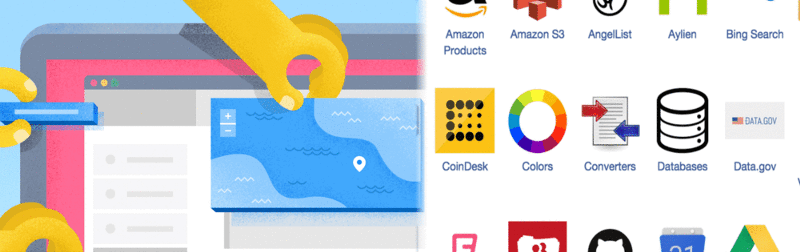
Here’s the list of services that Blockspring offers out of the box. It’s a long list, and the Blockspring team adds new ones every day.
In addition, Blockspring makes it really easy to create new blocks by connecting to your organization’s internal data. Do you have a database that you wish you could build an app around without having to write a bunch of code? With Bubble and Blockspring, now you can!
Another exciting thing Blockspring offers is the ability to write your own blocks. You can write a few lines of code in a language of your choice (they currently offer Python, Ruby, Node, PHP, and R), and Blockspring instantly converts it into an API for you, including automatically hosting it on its cloud. And now, with one click, you can run that code in Bubble, providing a powerful mechanism for extending what Bubble is capable of. Want to compute a complex formula, or write a machine learning algorithm in R? You can write just the code you need to build it, and let Bubble and Blockspring take care of making it run in your app.
So, start thinking about what you can build — it’s pretty much limitless. Here are some (simple) examples: an app that lets you search for ProductHunt posts by keyword, and lets you tweet at and follow the person who posted it; an app that lets you search YouTube for videos and display each videos’ statistics; an app that lets you search for people at a given company, and see who Klout thinks influenced them. All these services can now be combined with each other through our visual editor.
This has the potential to dramatically change how organizations work. Traditionally, IT departments control internal applications and their data. This centralization can be a burden for business teams that want to access the data and get value out of it. Building internal apps through IT can take months of discussions and development. In contrast, we’re moving towards a world where business people can build their own software solutions for themselves. They know their needs better than anybody else. They see immediately what doesn’t work, and can iterate to get something that does. The gains in efficiency and the value creation will be gigantic. We’re extremely excited to be working towards this goal.
PS. Here’s how to get started. Create an app in Bubble, and add Blockspring as a plugin. Then, click on authenticate with Blockspring.
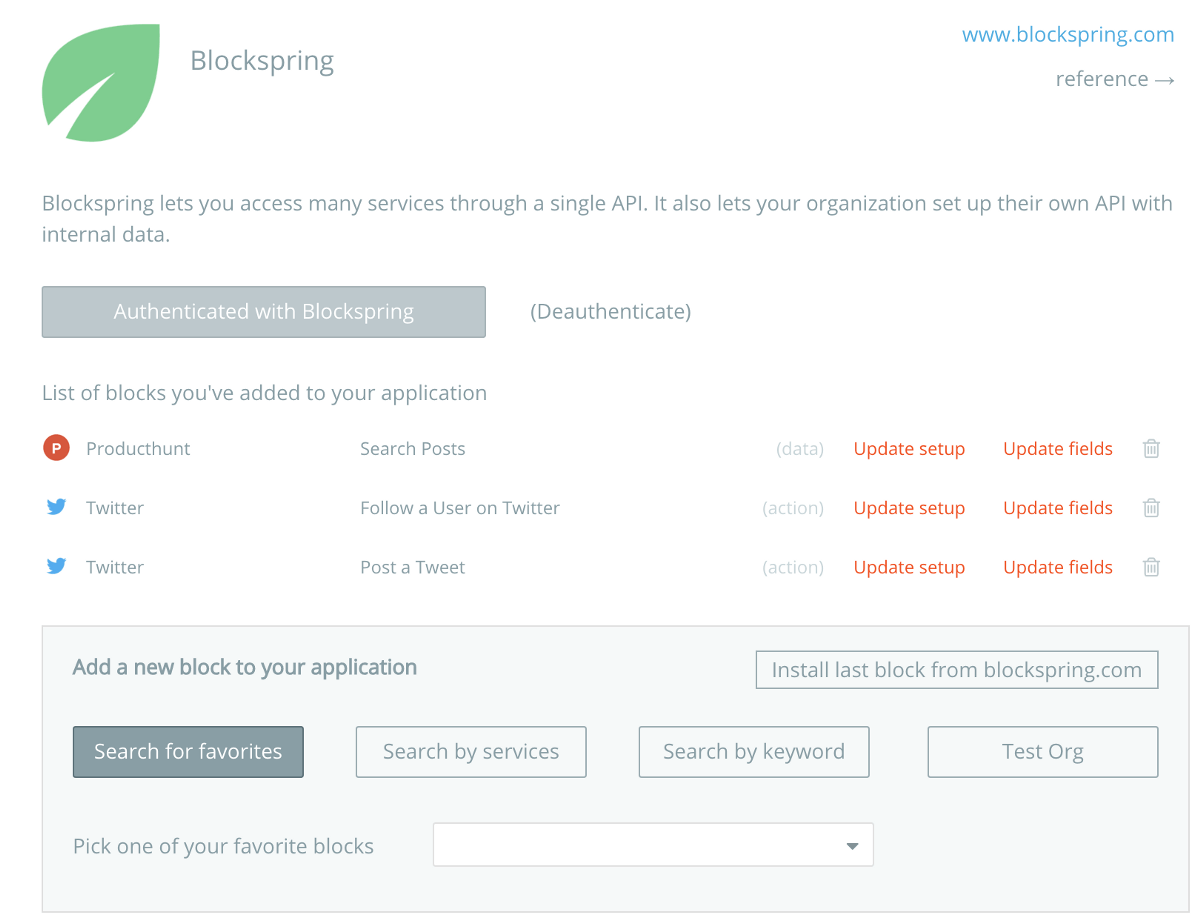
If you don’t have an account with them yet, you’ll be prompted to create one at this point.
Then, you can add the different blocks you need for your app within Bubble. When adding a new block, you’ll be taken to Blockspring to configure the block and authenticate with the service you’re using for that given block (for instance Twitter, etc).
You’ll be then taken back to Bubble and can start using the block as an API in Bubble. If it’s a data source, just pick ‘Get data from an external API’ and pick the relevant block, and if it’s an action, go to the technical section in the action menu.
Happy building!
Build for as long as you want on the Free plan. Only upgrade when you're ready to launch.
Join Bubble